I’m sure we’ve all been there - coat on, shoes on, just about to lock the door and - “did i leave the back window open?”
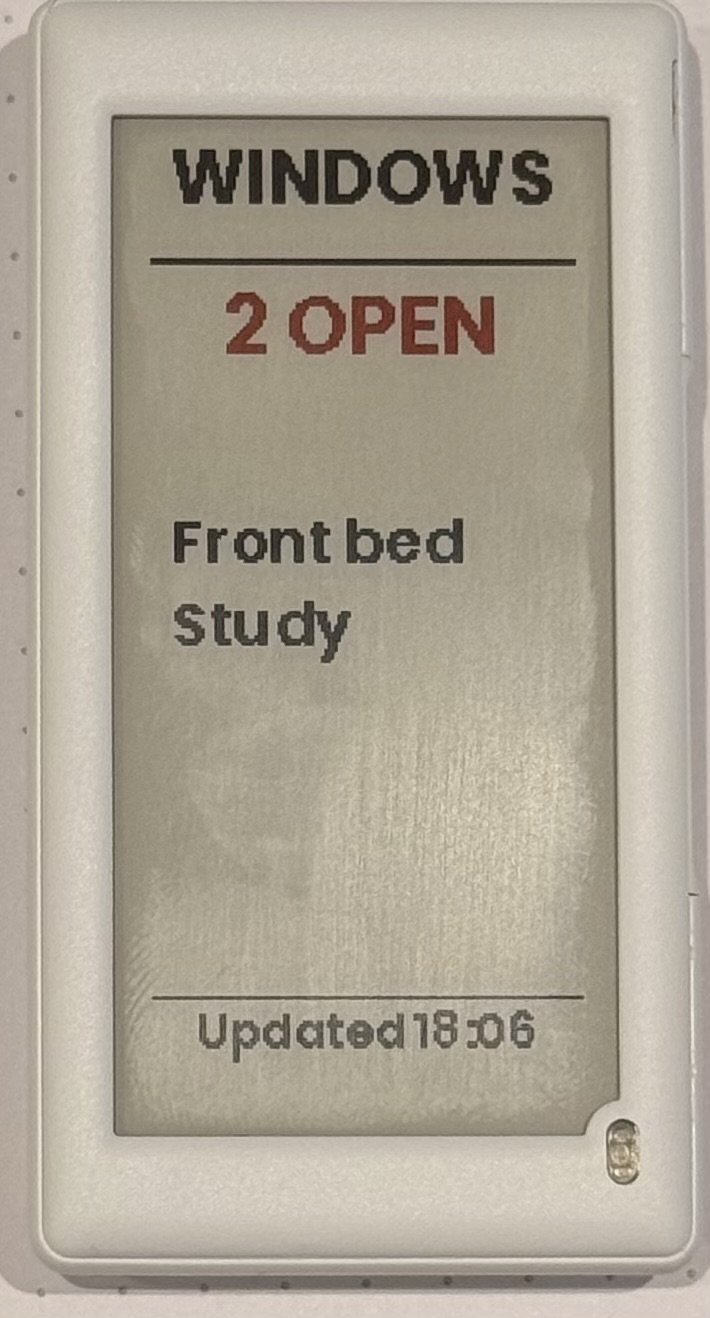
I wanted something which shows me, at a glance, which windows are open, or confirms they’re all closed.
goals
low maintenance - dont need to charge it every week
automatically updates in a few seconds
our windows can be “closed” or “latched closed” (with a ventilation space around), so support both
easy to glance at - no complex dashboards
small and unobtrusive.
What i used
Home Assistant Yellow
SNZB-04P/PR1 sensors
2.6" Hanshow Polaris Pro 280 Electronic Shelf Label
LilyGo T-Panel S3
OpenEPaperLink HA integration
Window sensors
I wanted sensors with long battery life. I have a Home Assistant Yellow at home, which has Zigbee support. I already have several Zigbee plugs around the house. Most permanently powered Zigbee devices act as “routers” so there’s a strong network around the house. I decided to buy Sonoff SNZB-04P:
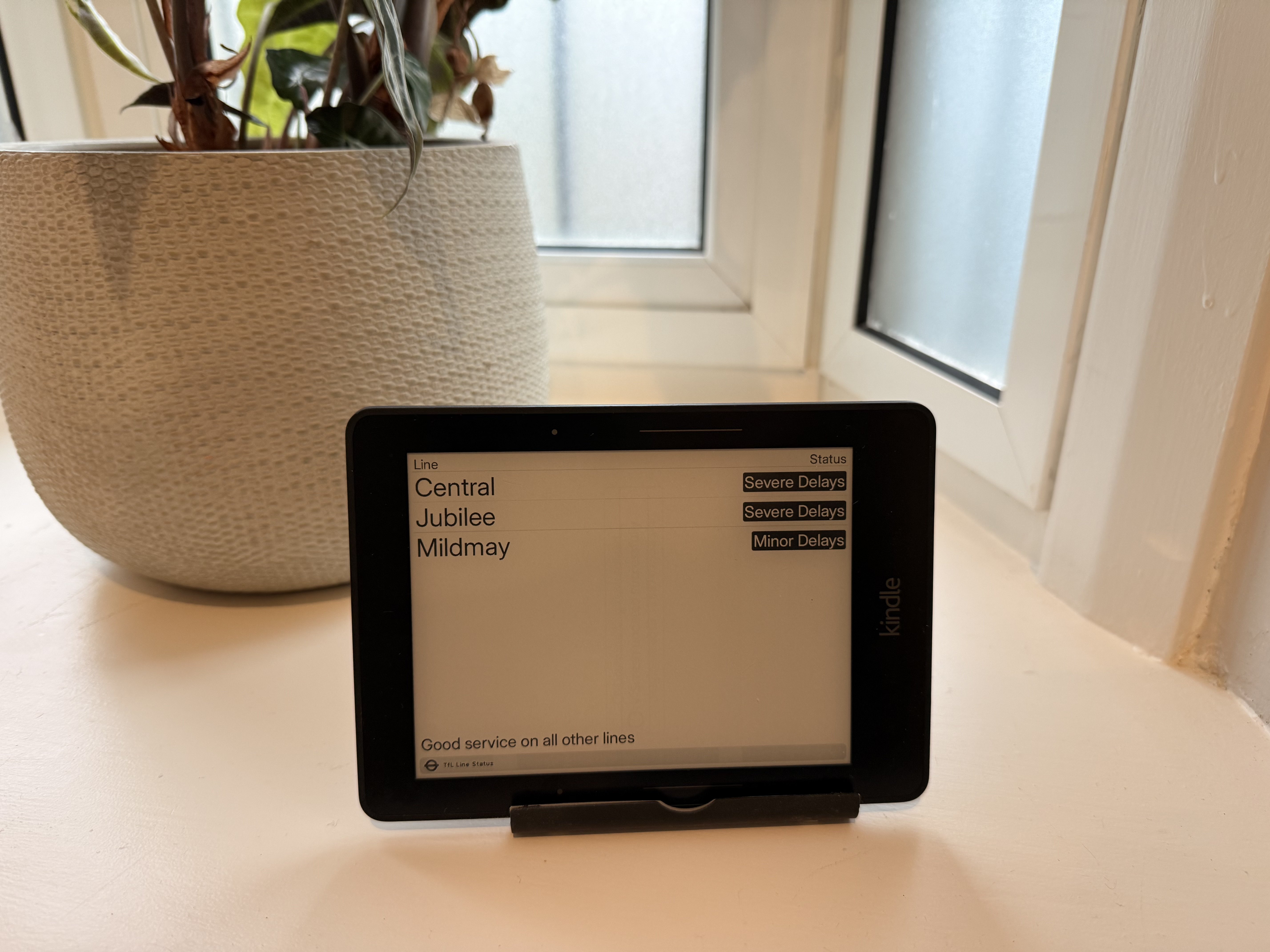
I’ve written before about TRMNL - it’s a great project. During a recent cleanout, i found an old Kindle Voyage in the back of a drawer. As well as supporting their own devices, TRMNL offers a “BYOD” licence and, if you manage to get it up and running on a device that nobody else has published before, they even give you back some of the licence fee!
TRMNL is an awesome open-source ePaper display that lets users show almost anything they want. Launched on Kickstarter, it’s now got thousands of plugins and users. I’ve published a few plugins myself. A few weeks ago, TRMNL added an MCP server. This lets you use a local coding agent to do most of the grunt work. I wrote about how to set that up in another post.
Secret disclosure
As soon as i’d set up the MCP server, i asked Claude to test it against a plugin i’d already built and deployed. The model called IntegrationsShowTool with no arguments. The response included:
TRMNL is an awesome open-source ePaper display that lets users show almost anything they want. Launched on Kickstarter, it’s now got thousands of plugins and users. I’ve published a few plugins, including a realtime TfL bus stop arrival time board.
A few weeks ago, TRMNL added an MCP server. This lets you use a local coding agent to do most of the grunt work.
Install the MCP server through .mcp.json
Using Claude Code, i created a simple .mcp.json file which references the API key by environment variable. Place this in the root of your repo. As it contains no secrets, this is safe to commit:
To stop my API keys being sucked up by some random malware, I keep secrets in 1Password and inject them into commands at runtime with op run. That works for almost everything, but when using Claude Code, i started getting a confusing error message.
Injecting MCP API keys to Claude Code
Claude Code reads MCP server config from .mcp.json and expands ${VAR} references from the environment.
gently (low temperature) fry onion in the vegetable oil for 5-6 mins over a medium heat in the small (metal?) roasting tin you’ll use in the smoker
Take off the heat and add the grated garlic
Add the beans and hendersons
Stir and put in the smoker (110-120c) for 60-90 minutes. Check after 60 mins to make sure not dried out. If it starts to get dry, add a splash of water. Stir.
Boil new potatoes until fork-tender (15-20 min) then drain
smash them on a sheet tray to break them slightly. The fluffy bits go crispy.
Coat them in oil/fat (e.g. drizzle in vegetable oil) and seasoning (salt, pepper)
roast in the oven at 220°C for 20-25 minutes until the edges are crispy and golden.
Transfer to the smoker at 110-130°C for 20-30 minutes to pick up smoke flavour. The already-crisped surfaces absorb smoke well. Going longer than 30 minutes risks drying them out or making the smoke flavour acrid.
I previously wrote about how i’d implemented a combination of 1Password’s CLI and direnv to avoid storing passwords on disk. This works great, most of the time. The problem comes when i want to add a secret and i’m in the middle of a complex multi-agent task - because the environment is loaded once before Claude or Codex or whatever starts, adding or rotating credentials during a build (e.g. if the agent needs an API key to a new service, or accidentally exposes a secret to its context) is tricky. So i’ve evolved the system slightly.
Recently at work, someone asked me why my team wasn’t creating detailed logical data models as part of their solution design. It seems quite simple to me – they don’t do it because nobody reads it. Most solution architecture documentation is out of date before it even gets logged in the architecture repository.
Photo by Carlos Gil on Unsplash
separation of this vault from my main password vault in BitWarden. My whole world exists in Bitwarden - i dont want to inadvertently expose it. And as Bitwarden has a pretty awful CLI experience, it doesnt work for me.
Safe to commit secret file to source control
Safe to commit my .env files to source control because they no longer contain secrets
If you’re running Claude Code against your own API key or through a proxy instead of Anthropic’s native backend, you’ve probably noticed that the built-in WebSearch tool just doesn’t return results because it relies on a server-side API that only exists at Anthropic. Without web search, the agent cant research, so we built a self-hosted replacement using MCP.
What we built
The brilliant DDGS is an open source metasearch server that aggregates results from DuckDuckGo, Bing, Google, Brave, and Yahoo. It has a built in MCP server which exposes five tools: search_text, search_news, search_images, search_videos, and search_books.
Claude Code can do a lot of things. But can it keep a plant alive?
The Plant: Act I — Fifty-Eight Days
October 22 – December 19, 2025
On October 22, 2025, the moisture sensor read 1829, the first of 5,568 check-ins over fifty-eight days. The scale runs from wet at roughly 1100 to dry at 3400, putting that reading in the middle.
The sensor is in the pot of a Tradescantia zebrina. There’s also a 5l jug of water with a pump, a grow light and a camera. Claude’s job is to keep the plant alive - basically, keep the moisture in range and run the grow light on schedule, writing notes after each cycle so it could pick up where it left off. At the start, there were five unknowns: plant species, target moisture range, soil type, ambient temperature, and pot size. Claude logged all five, ran a 60-minute grow light session, and began monitoring. The full session logs, sensor data, and photos are at plants.cynexia.com if you want to follow along.
I have a personal GitHub account and a corporate one, and I found it annoying to have to select the correct SSH key for work repos, so I configured git and SSH to pick the correct key for me. After initial setup, there are three config files to modify:
After the initial setup, there are three config files involved:
Git URL rewrite (~/.gitconfig) — rewrites work org URLs to an SSH host alias
SSH host alias (~/.ssh/config) — maps that alias to the right key (and port 443 if needed)
Work-only Git identity (~/.gitconfig.work) — sets work email/name/signing key, loaded automatically for work repos