I have about 20 partly-used spools of filament which i use with my 3d printer, and expect that number to grow as i start using more specialised filaments like ASA and ABS. I recently implemented a system to keep track of them all - this post is a brief walkthrough of the system.
The overall flow is tap → identify the spool in Spoolman → confirm its assignment in FilaBridge. From there, FilaBridge automatically accounts for printer usage against that spool. I chose to use NFC tags so that i don’t have to open my browser and manually select the spool in FilaBridge. And the display screen lets me see how much of my Filamet Basalt Moon Dust at $530 per 500g1 is left before i start printing.
Our platform team provides services underpinning the work of something in the order of 1,000 people spread across different roles - developers, architects, support engineers and so on. Each month, there are hundreds of thousands of interactions with our tools - almost all of which are automated through CI.
As the Product Lead, I am often asked how i know what to prioritise next in delivery and the answer is simple - we measure Developer Happiness. now don’t get me wrong, i want our developers to be happy, but it’s not that i specifically care about developer happiness in itself. happy developers are great, but in this case what i’m looking for is things that are annoying them - i’m using Developer Happiness as a proxy for all the things which we’re not measuring (or simply can’t measure) but which annoy the teams on the ground as they try to get their job done.
I’m sure we’ve all been there - coat on, shoes on, just about to lock the door and - “did i leave the back window open?”
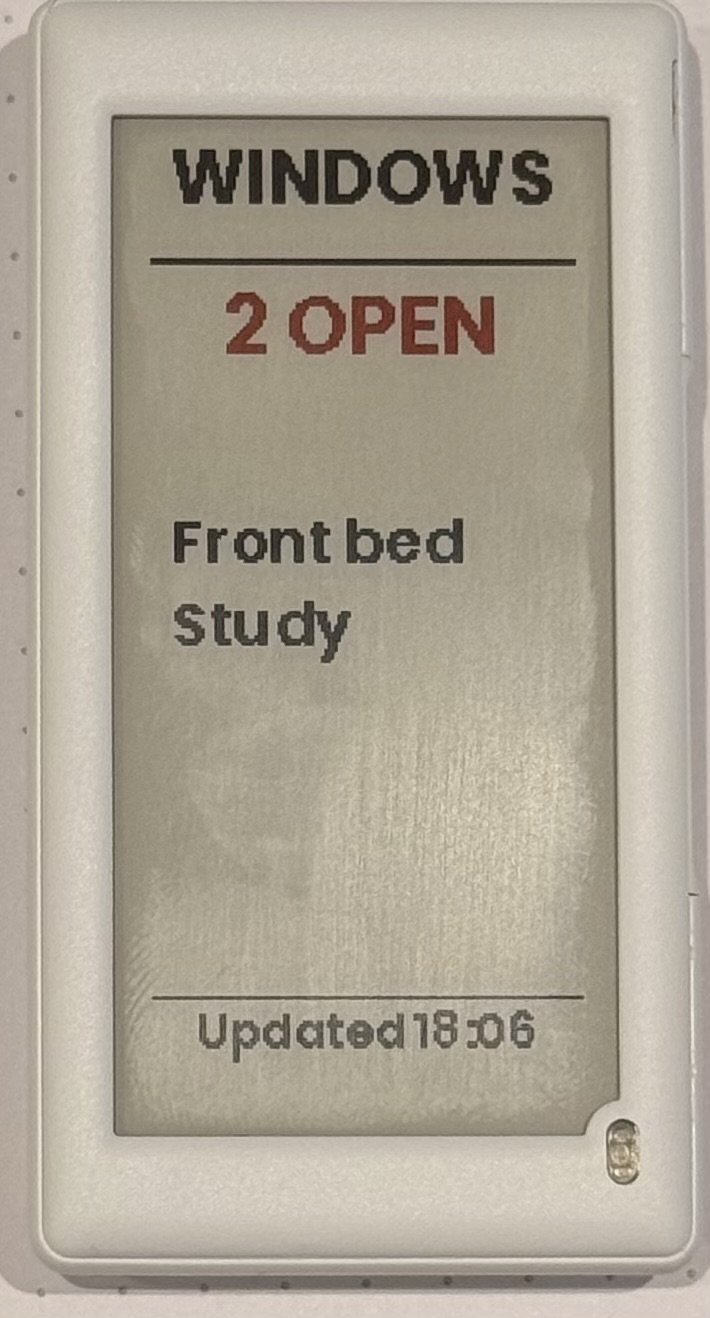
I wanted something which shows me, at a glance, which windows are open, or confirms they’re all closed.
goals
low maintenance - dont need to charge it every week
automatically updates in a few seconds
our windows can be “closed” or “latched closed” (with a ventilation space around), so support both
easy to glance at - no complex dashboards
small and unobtrusive.
What i used
Home Assistant Yellow
SNZB-04P/PR1 sensors
2.6" Hanshow Polaris Pro 280 Electronic Shelf Label
LilyGo T-Panel S3
OpenEPaperLink HA integration
Window sensors
I wanted sensors with long battery life. I have a Home Assistant Yellow at home, which has Zigbee support. I already have several Zigbee plugs around the house. Most permanently powered Zigbee devices act as “routers” so there’s a strong network around the house. I decided to buy Sonoff SNZB-04P:
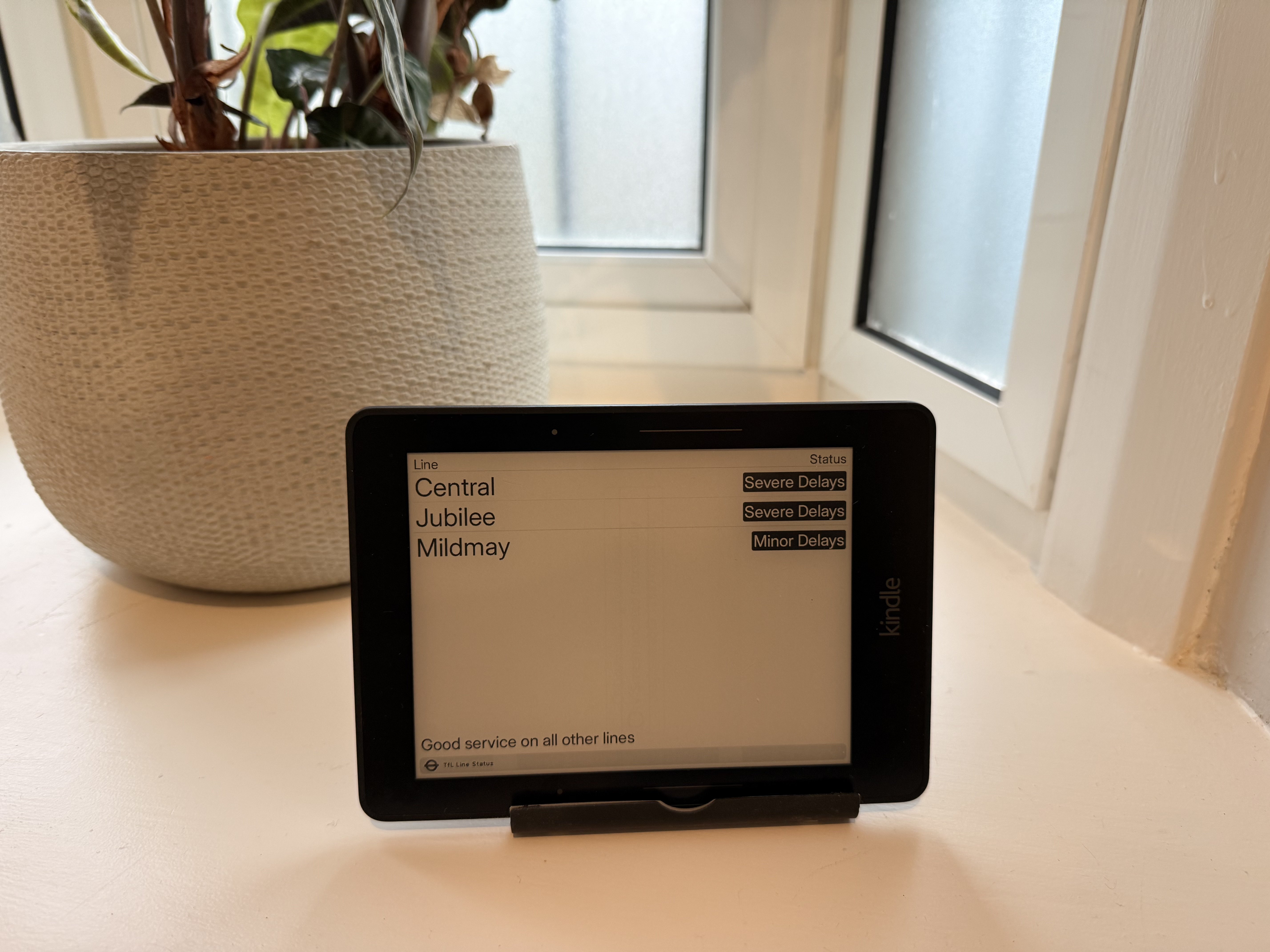
I’ve written before about TRMNL - it’s a great project. During a recent cleanout, i found an old Kindle Voyage in the back of a drawer. As well as supporting their own devices, TRMNL offers a “BYOD” licence and, if you manage to get it up and running on a device that nobody else has published before, they even give you back some of the licence fee!
TRMNL is an awesome open-source ePaper display that lets users show almost anything they want. Launched on Kickstarter, it’s now got thousands of plugins and users. I’ve published a few plugins myself. A few weeks ago, TRMNL added an MCP server. This lets you use a local coding agent to do most of the grunt work. I wrote about how to set that up in another post.
Secret disclosure
As soon as i’d set up the MCP server, i asked Claude to test it against a plugin i’d already built and deployed. The model called IntegrationsShowTool with no arguments. The response included:
TRMNL is an awesome open-source ePaper display that lets users show almost anything they want. Launched on Kickstarter, it’s now got thousands of plugins and users. I’ve published a few plugins, including a realtime TfL bus stop arrival time board.
A few weeks ago, TRMNL added an MCP server. This lets you use a local coding agent to do most of the grunt work.
Install the MCP server through .mcp.json
Using Claude Code, i created a simple .mcp.json file which references the API key by environment variable. Place this in the root of your repo. As it contains no secrets, this is safe to commit:
To stop my API keys being sucked up by some random malware, I keep secrets in 1Password and inject them into commands at runtime with op run. That works for almost everything, but when using Claude Code, i started getting a confusing error message.
Injecting MCP API keys to Claude Code
Claude Code reads MCP server config from .mcp.json and expands ${VAR} references from the environment.
gently (low temperature) fry onion in the vegetable oil for 5-6 mins over a medium heat in the small (metal?) roasting tin you’ll use in the smoker
Take off the heat and add the grated garlic
Add the beans and hendersons
Stir and put in the smoker (110-120c) for 60-90 minutes. Check after 60 mins to make sure not dried out. If it starts to get dry, add a splash of water. Stir.