
When uploading images to WordPress, you may get this error. There are plenty of blogs online offering solutions, but they only apply to self-hosted instances – mine is hosted on just-what-i-find.onyx-sites.io/.
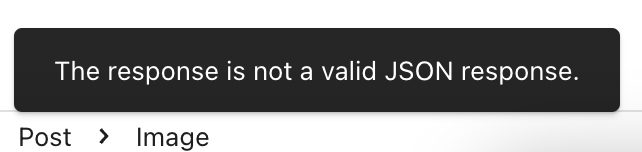
The error is a little pop up with the text The response is not a valid JSON response at the bottom of the screen when you try and upload an image:
Looking in the developer tools console on the browser shows one of two error messages:
Failed to load resource: the server responded with a status of 403 () for URL /wp-json/wp/v2/media
or
POST https://atomic-temporary-181991729.wpcomstaging.com/wp-json/wp/v2/media?_locale=user 403 (Forbidden)
I have Cloudflare in front of my blog, with the OWASP filter set enabled. By examining the Security Events log (in Cloudflare at Security > Events), and adding a filter for the path /wp-json/wp/v2/media:
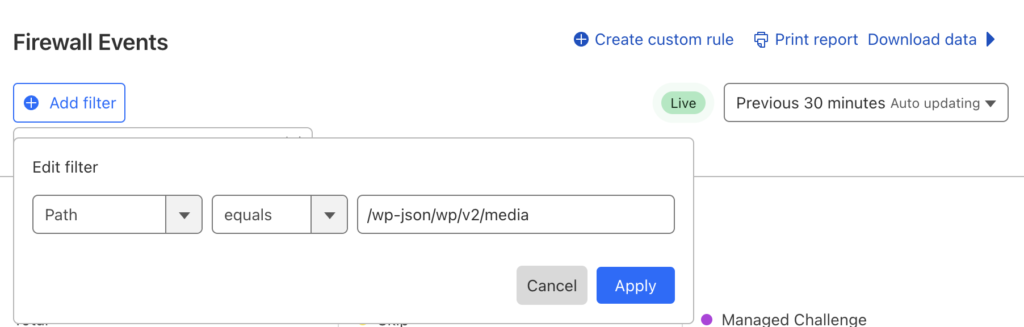
i was able to see that WAF was triggering on a specific rule, 949110: Inbound Anomaly Score Exceeded. There are lots of posts on the Cloudflare forum about this. One answer from the Cloudflare team points out that the OWASP ruleset is not managed by Cloudflare – they simply integrate it in their WAF, so they have no way to tweak it. They do, however, point out you can bypass it. So I created a custom rule to match (http.request.uri.path eq "/wp-json/wp/v2/media"):
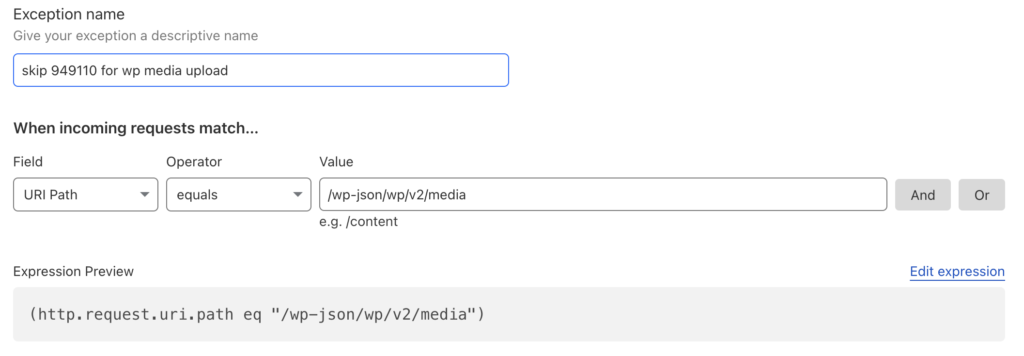
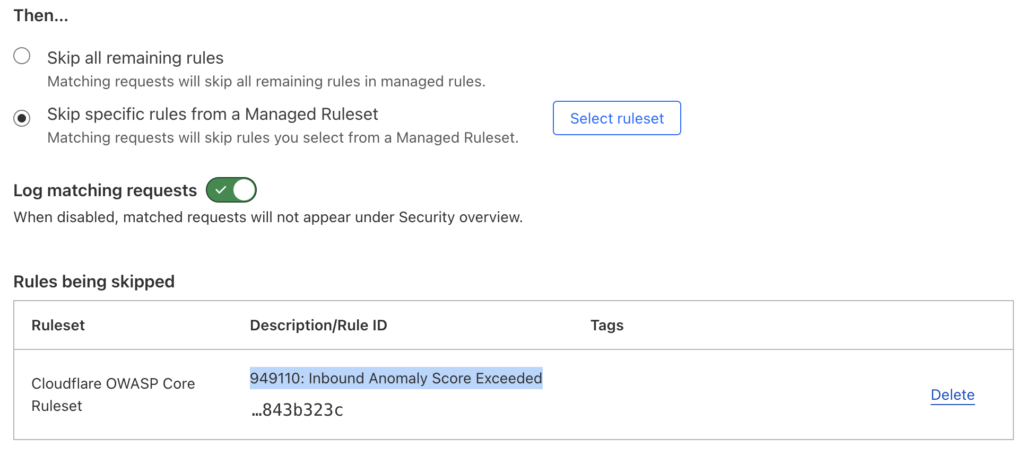
I then selected to “Skip specific rules from a Managed Ruleset”, and disable rule 949110: Inbound Anomaly Score Exceeded for this specific URI:
I apply the ruleset before the OWASP one in the priority list:
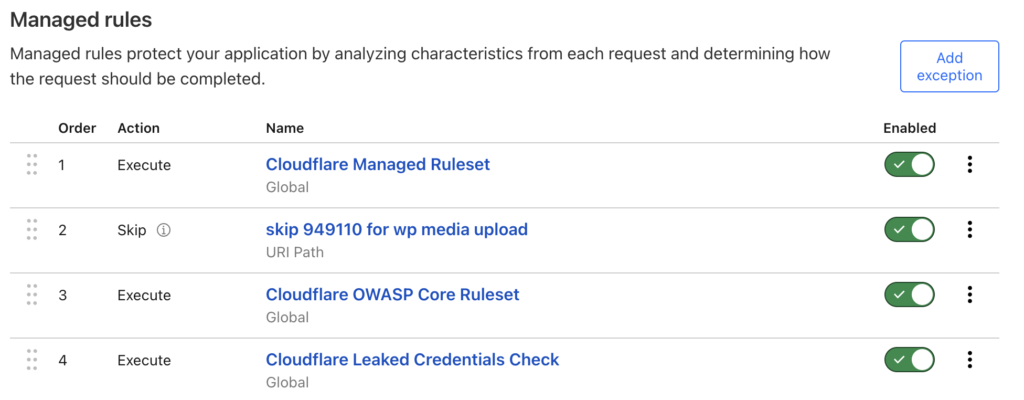
And now, no more errors. Of course, this will reduce the security protection of your WordPress instance – at least for this URI. See the Cloudflare documentation for more details.
Leave a Reply